How to Configure DoT/DoH on MERCUSYS Wireless Router
Introduction
DoT (DNS over TLS) and DoH (DNS over HTTPS) are two methods that enhance the security and privacy of DNS queries in network communications. DoT uses a dedicated TLS connection for DNS messages, ensuring they are secure from eavesdropping and tampering. DoH encrypts DNS queries within HTTPS traffic, making them indistinguishable from regular web traffic and difficult to monitor.
Please be aware that support for DoT and DoH varies across different router models.
Configuration
Step 1. Log in to the web-based interface of the router. If you don’t know how to do that, please refer to How to Log in to the Web Management Page of MERCUSYS Wireless Router
Step 2. Navigate to Advanced > Network > Internet in the router settings. If you choose "None" for "DNS Privacy", the router will not encrypt DNS traffic.
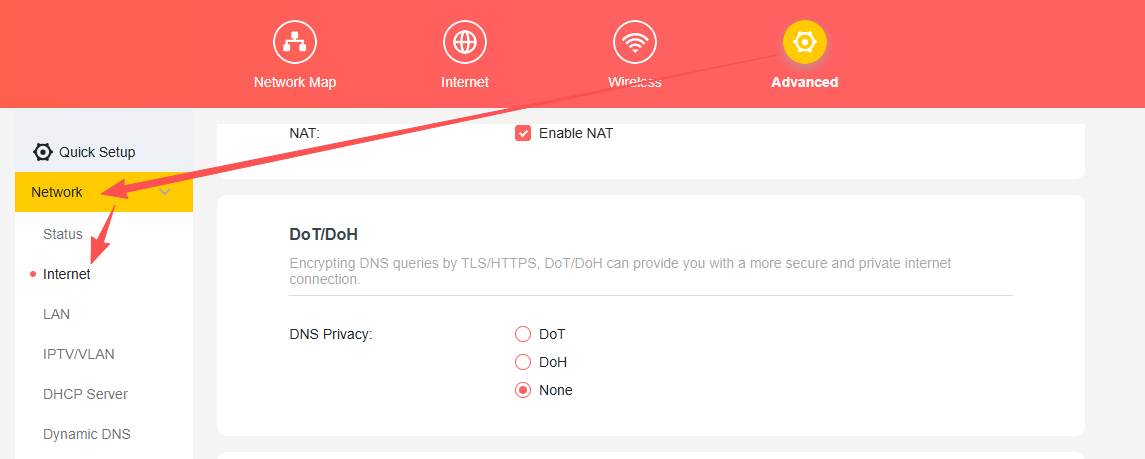
Step 3. Upon selecting DoT or DoH, you'll find the "DNS Mode" option. It's generally recommended to use the "Default Mode."
In Default Mode, if the router detects that the chosen DNS servers are unreachable, it will automatically switch to unencrypted DNS to maintain network connectivity.
Conversely, in Ultra Secure Mode, if the chosen servers become unavailable, DNS resolution will be disrupted.
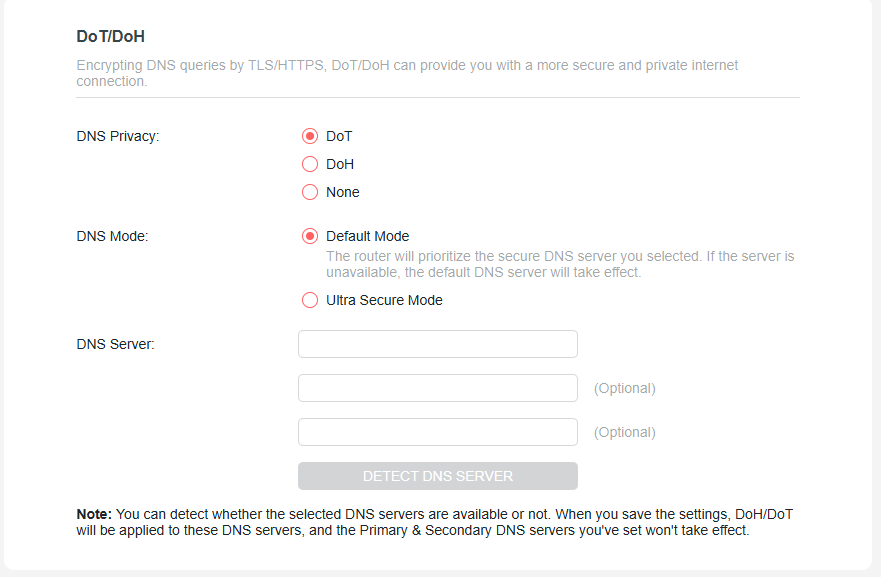
Step 4. Below the "DNS Mode" option, you'll find the "DNS Server" section. We've provided a list of commonly used DoT/DoH servers, from which you can select up to three servers simultaneously. 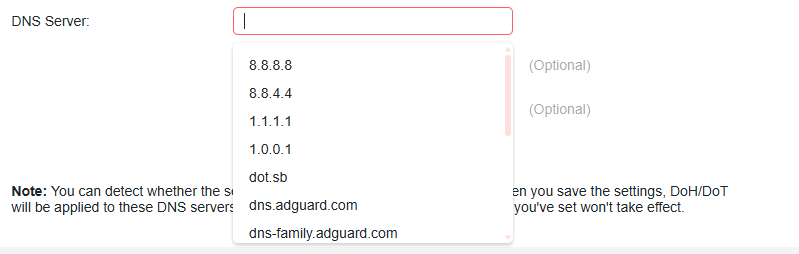
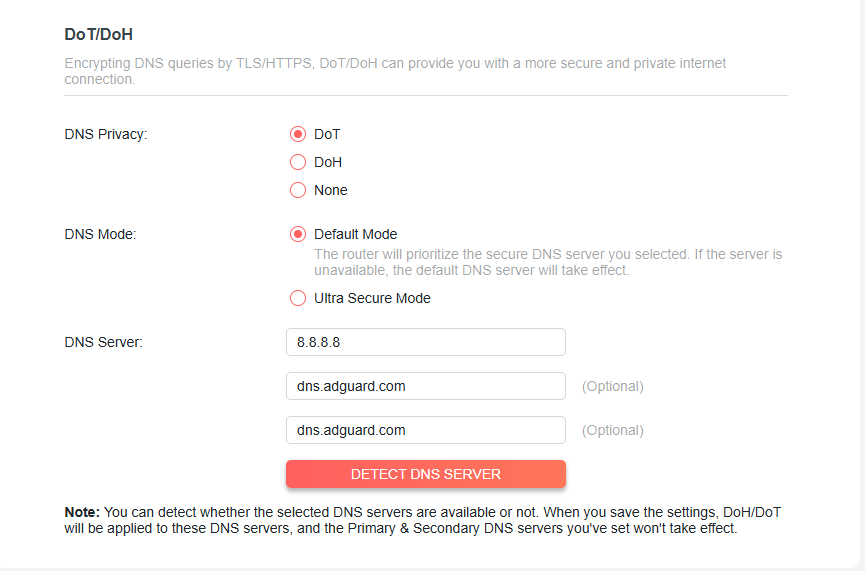
After setting your preferred DNS servers, click the "DETECT DNS SERVER" button. The router will then automatically verify the availability of these servers.
To learn more about each function and configuration, please visit the Support Center to download the manual for your product.